Conform the face
The MetaHuman's face is conformed to the FaceNinja mesh, so the rig, LODs and facial animation all follow the new shape.
What you download, how it is made, and what it does not do yet. No adjectives you cannot check.
| Mesh | MetaHuman head topology with neck and upper shoulders, fixed vertex order and UVs, so every head lines up with every other |
|---|---|
| Eyes and teeth | Placed in their sockets; iris colour taken from the photo; a clear, reflective cornea over each eye that turns with the gaze |
| Skin maps | 4096 × 4096 base colour, normal, cavity, and specular / roughness |
| Wrinkles and pores | Relief from the photos goes into the normal map; freckles stay colour and do not become dents |
| Expressions | All 52 ARKit blendshapes, tongueOut included, refitted to the new face |
| Formats | GLB (with or without blendshapes), FBX, OBJ with textures, STL, PLY, MetaHuman ZIP |
| Download options | Maps as JPEG, PNG or none; normal maps in OpenGL or DirectX convention; 1K, 2K or 4K (GLB, OBJ, FBX). The MetaHuman ZIP is PNG, DirectX, 4K |
| Scale | Real units and life size (GLB: 1 unit = 10 cm), stated in every file; an estimate of the person's own size from the iris in the photo, applied only if you ask |
| Input | 1 to 15 photos of the same person |
| Time | About 5 to 10 minutes per head today |
Head hair is not part of the mesh: MetaHuman hair, brows and beards are grooms, and we recommend them separately (below). The skin under the hair is completed from the template, and beards are reduced to stubble in the skin so the beard groom has a clean surface to sit on.
Importing a head into MetaHuman Creator normally means four manual jobs. Our Unreal automation does all of them.
The MetaHuman's face is conformed to the FaceNinja mesh, so the rig, LODs and facial animation all follow the new shape.
Our base colour, normal and cavity maps replace the library skin. Without this step MetaHuman picks a stock skin and the person's freckles, moles and wrinkles are gone.
Hair, eyebrows, eyelashes, moustache and beard from the recommendation, with their colours set.
A body type that joins the fitted neck and shoulders, so there is no seam and no mismatched collar line.
Early access. The automation runs in our own Unreal setup today and is being packaged for customers. Every plan already gets the MetaHuman ZIP: the head FBX in MetaHuman vertex order, the four 4K maps, the groom recipe and step-by-step Unreal instructions.
We segment the hair, brows and facial hair in your photos and measure them: length, how far the hair reaches, texture, coverage of the moustache, chin and jaw, how much is grey. A vision model names the style. Both are matched against the MetaHuman groom library.
groom.json for tools and groom.md for people, inside every MetaHuman ZIP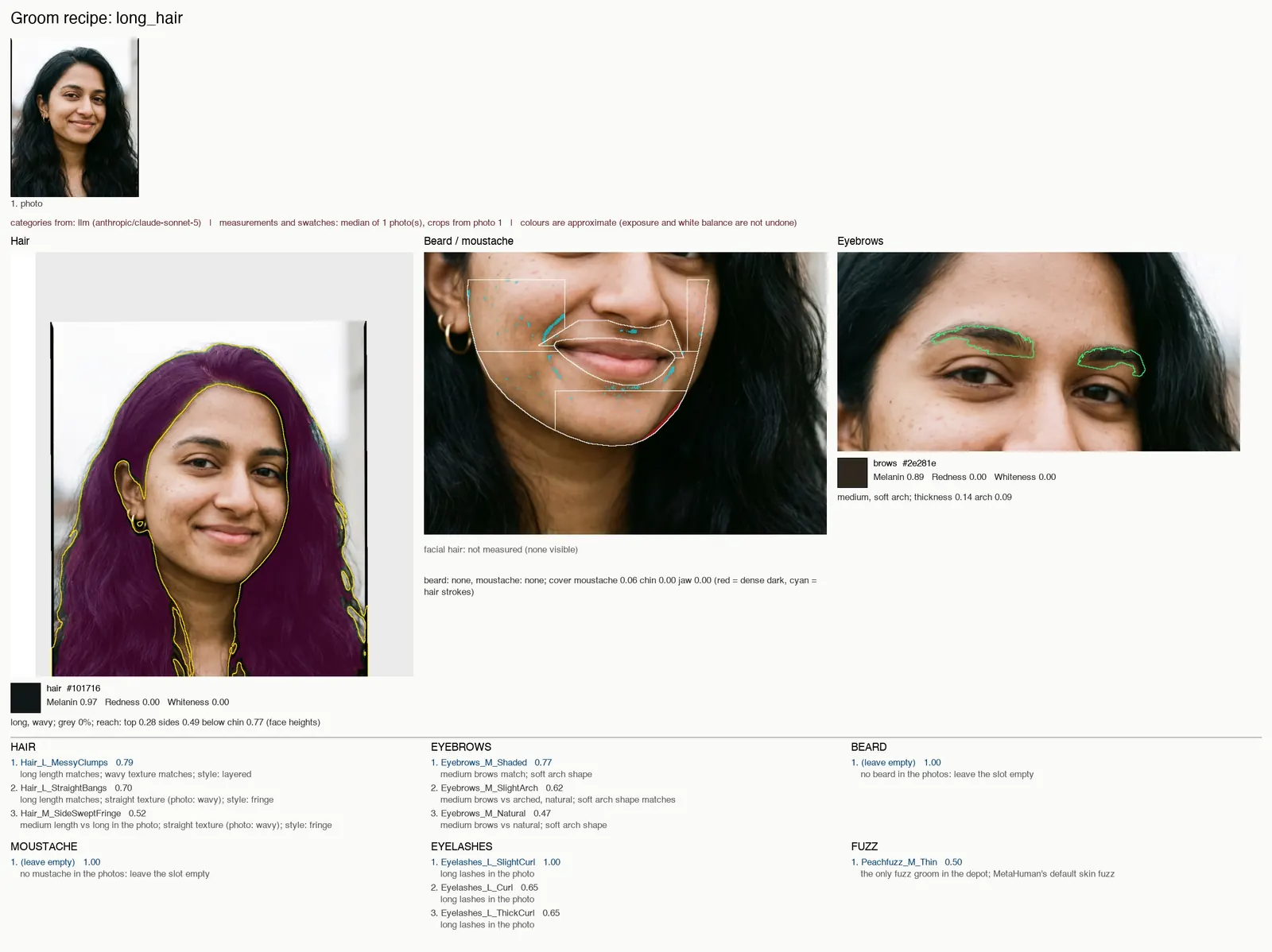
Hair_L_MessyClumps, Eyebrows_M_Shaded, Eyelashes_L_SlightCurl, no beard.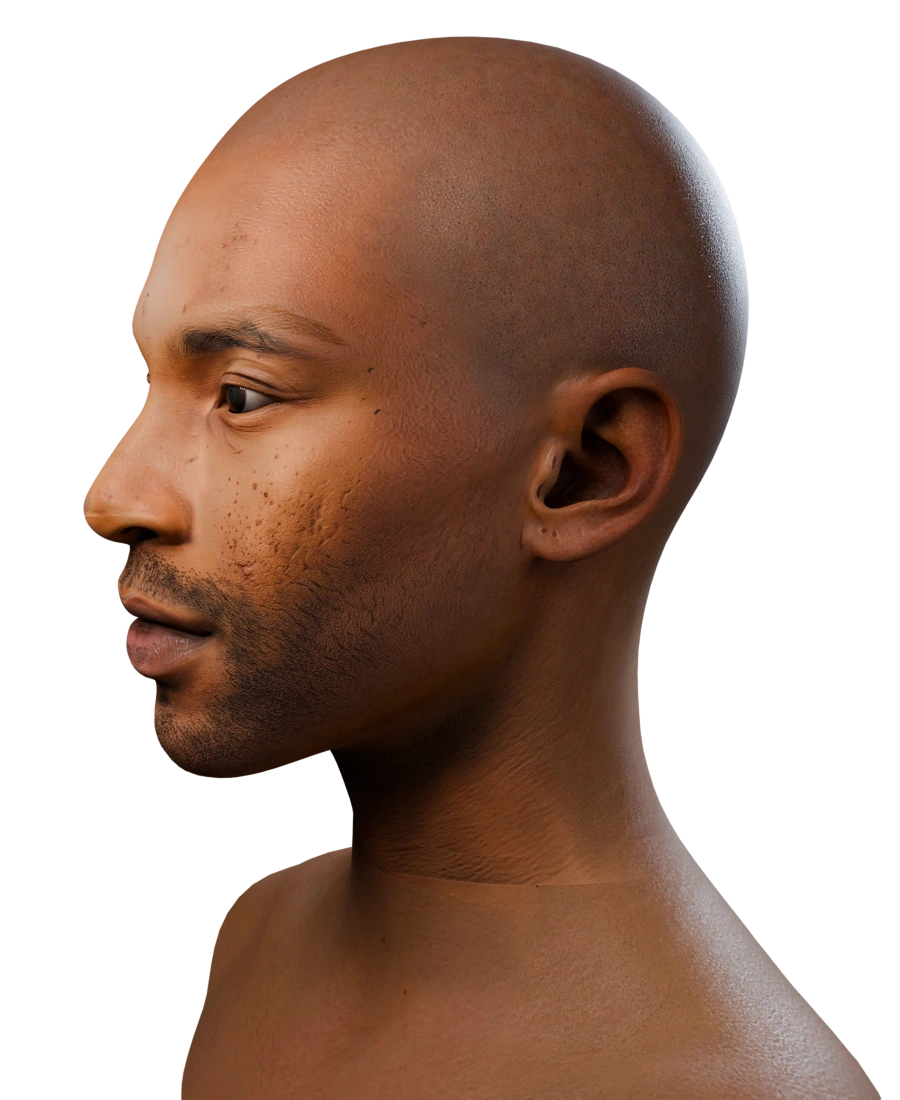
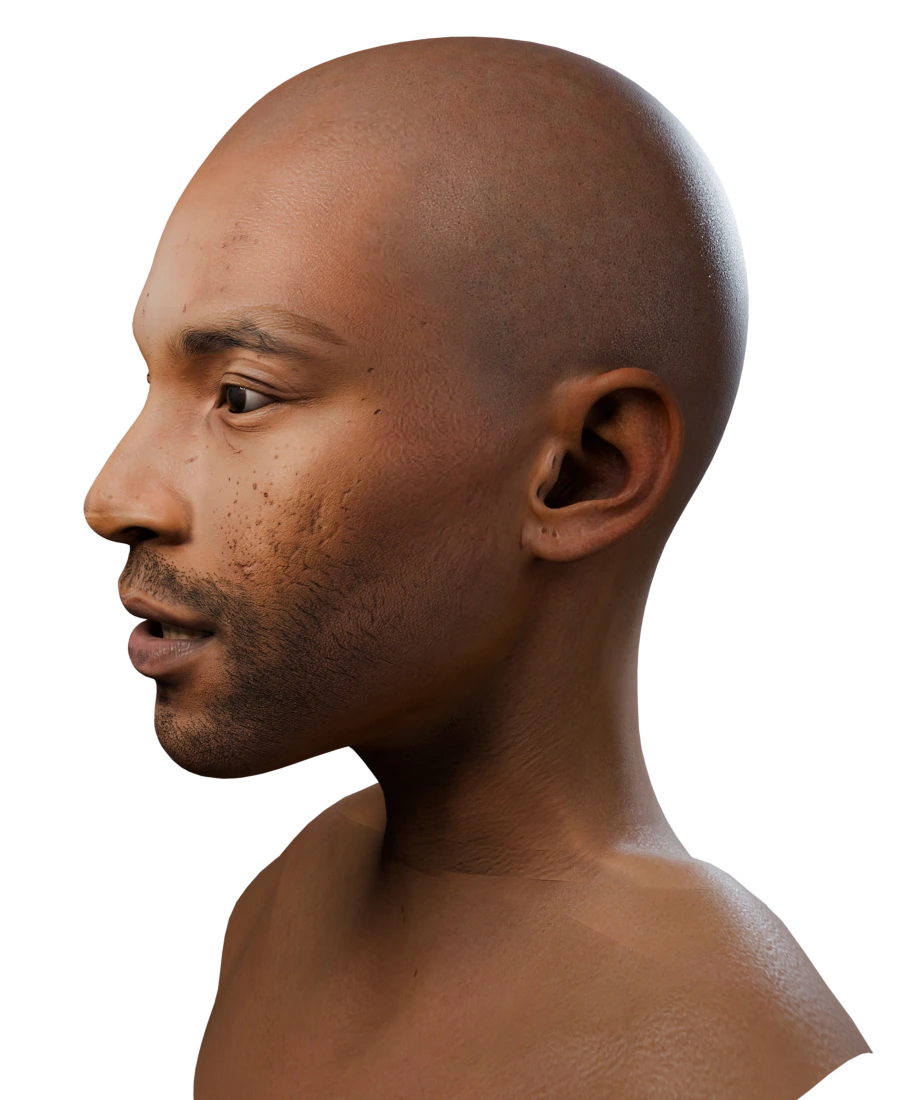
Each 3D shape model gives us a neck. We measure its width, its front and back at mid-height, and where the trapezius sits, then:
Long hair can hide the back of the neck, so the back only follows the measurement part of the way.
The Studio opens every finished head in a 3D viewer in the browser.
Smile, surprise, talk, frown and more, driven by the head's own ARKit shapes, to see that they moved with the face.
A preview of the person's hair, cut from the 3D shapes and coloured from the photos, to judge likeness. It is not exported: in Unreal the groom takes its place.
The recommended grooms and colours next to the head, so you know what to pick in MetaHuman Creator before you open it.
| Step | What happens |
|---|---|
| Upload | Send photos with the create call, or upload them first and reuse their IDs |
| Create | One call starts a head; an Idempotency-Key makes retries safe |
| Wait | ?wait= long polling, a server-sent event stream, or a signed webhook |
| Request a file | Pick glb, fbx, obj, stl, ply or metahuman_zip; GLB and FBX with or without ARKit shapes; optionally texture format, normal-map convention, texture size, cornea and scale |
| Download | A short-lived signed URL; your API key never goes to the file host |
| Delete | Delete a head and its photos whenever you want |
Coming from KeenFace? The workflow is the same (create, wait, request a file, follow a signed link), so your integration keeps its shape; endpoints and field names differ. The docs include a migration guide.
API docsWe are running a benchmark on volunteers who gave written consent: the same photos go through FaceNinja and other services, and each head is compared with a reference scan (shape error in millimetres, by face region) and with the photos (face recognition similarity). We will publish the method, the results and the heads we are allowed to show, wins and losses alike.
Results are not in yet. This section will link to the full report when they are.
Later Reconstruction from calibrated multi-camera photo sets, with solved cameras and raw photo textures, is in research.
Your first head is on us: 1 free head when you sign up.